Download · Version 1.0.0
Get a bowl.
It installs just for you, into %LOCALAPPDATA%\CopyPasta, and never asks for administrator rights. No .NET runtime needed — everything is included.
1
Run the installer
Download CopyPasta-win-Setup.exe and run it. It takes a few seconds and needs no admin prompt.
2
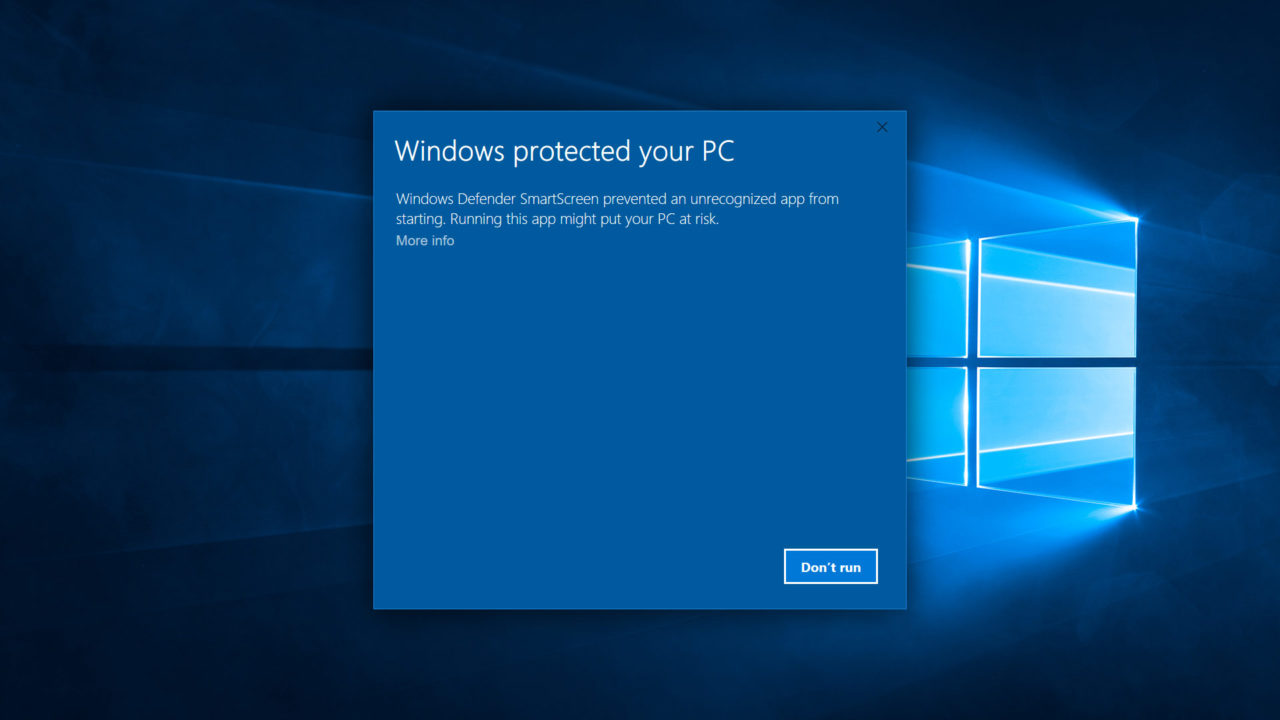
"Windows protected your PC"
This build is not code-signed yet, so Windows will warn you the first time. Click More info, then Run anyway. It only happens once.
3
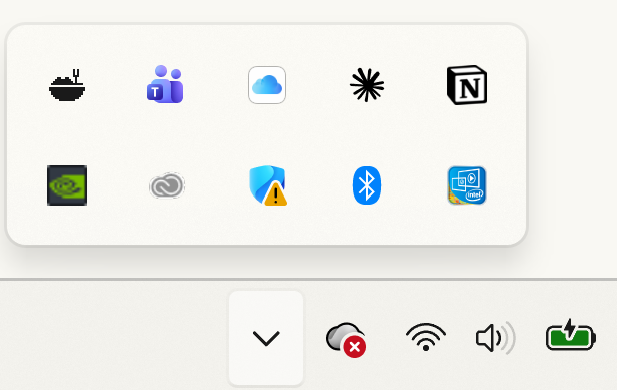
Find the tray icon
Look in your notification area, near the clock. If you cannot see it, click the ^ arrow — Windows hides new tray icons by default. Drag it out of that overflow to keep it visible.
Next, the first two minutes.
Copy something, press Ctrl Alt V, and click it. The guide covers the rest.
Getting started →