
Clipboard manager for Windows · v1.0.0

Windows remembers one thing you copied. CopyPasta remembers all of them.

It sits in your notification area and quietly records everything that goes onto the clipboard — text, formatted text, images, files, colour codes. Press a hotkey, pick something from the list, and it goes straight into whatever you were typing in. Nothing leaves your machine.

Free and MIT licensed. No account, no admin rights, no .NET install.
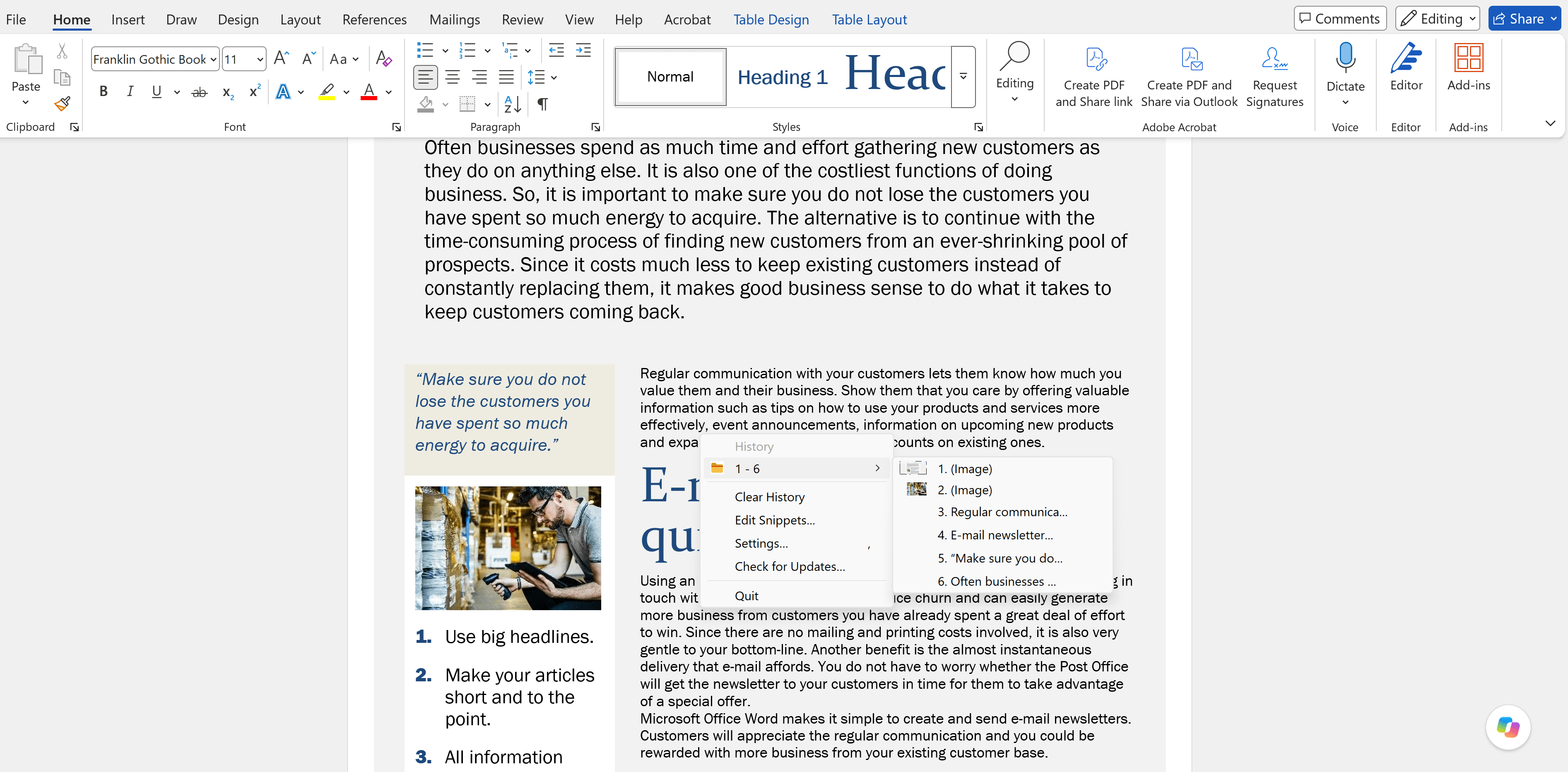
The CopyPasta menu open over a Word document, showing the 1 - 6 history folder with image and text clips
CtrlAltV
The full plate
History, snippets and commands
CtrlAltH
History only
Everything you've copied, newest first
CtrlAltB
Snippets only
Your saved recipes, two keystrokes away
What's on the menu

Everything you copy, kept warm until you need it.

Ready in two minutes

Copy. Press. Pick.

It pastes into wherever your cursor was. That is the whole idea; everything else is refinement.

  1. 1Copy some text from anywhere — a browser, a document, an email.
  2. 2Press Ctrl + Alt + V.
  3. 3Your text is at the top of the menu. Click it.

Your clipboard, served.

Download CopyPasta 1.0.0 →