
Features
Snippets
Snippets are text you keep on hand permanently. Unlike history, they never expire and are never cleared. Think of them as house recipes.
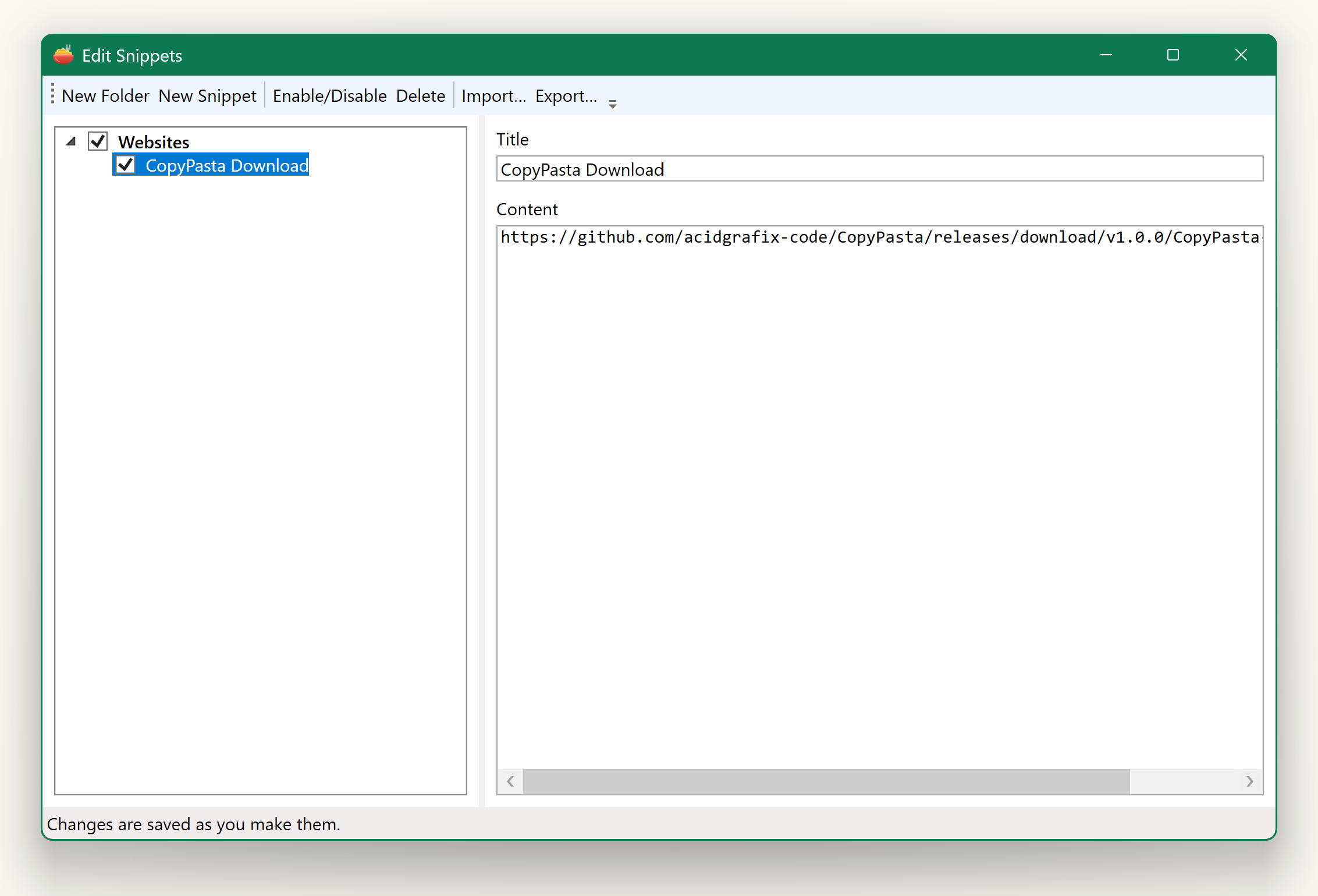
Creating them
Open the tray menu, then Edit Snippets…
- New Folder creates a category — Signatures, Addresses, Code, whatever suits.
- New Snippet adds an entry inside the selected folder. Give it a Title (what you will see in the menu) and a Content (what actually gets pasted).
- Drag entries to reorder them, or drag a snippet from one folder into another.
- Enable/Disable hides a folder or snippet from the menu without deleting it — handy for seasonal things.
- Delete removes the selected item.
Everything saves as you type. There is no Save button and no way to lose work by closing the window.
Using them
Press Ctrl + Alt + B, or open the full menu and look under Snippet. Folders appear as submenus; choosing a snippet pastes its content.
Moving them between machines
Export… writes all your folders and snippets to an XML file. Import… reads one back, adding to what is already there rather than replacing it. The format is compatible with the macOS Clipy app, so snippets travel between the two.